Wander Far, Wallet Safe: How to Manage Your HBAR From Anywhere in the World
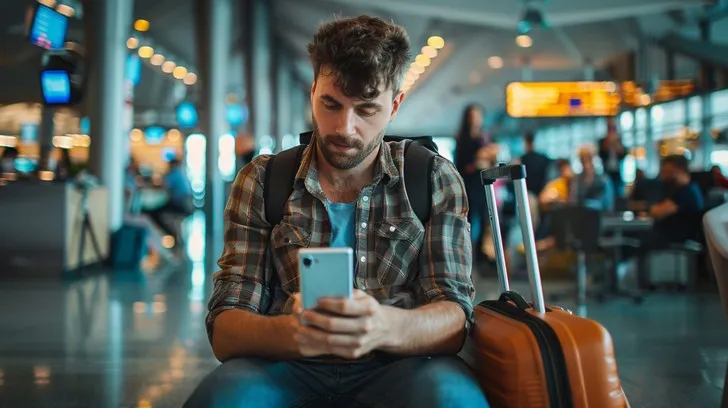
Photo: traveler using smartphone at airport gate with luggage, via images.stockcake.com
There's a special kind of anxiety that hits when you're 30,000 feet over Kansas and suddenly wonder whether you turned off transaction notifications before leaving the country. If you're an HBAR holder planning a trip — spring break in Miami, a work conference in Austin, or that long-overdue national parks road trip — a few hours of prep can be the difference between smooth sailing and a vacation-ruining mess.
Here's how to travel with HashPack like someone who's done it before.
Start With a Pre-Trip Checklist
Before you zip the suitcase, run through this list:
- Update everything. Your phone's OS and the HashPack app both. Updates patch real security holes, and you don't want to be downloading them over hotel Wi-Fi in another country.
- Write down your recovery phrase — on paper, not in your notes app. Store it somewhere separate from your phone. A safe deposit box, a trusted family member's fireproof safe, or at minimum a hidden spot at home. Never carry the phrase in your luggage or take a photo of it.
- Enable biometric unlock and a strong passcode in HashPack's security settings. Face ID or fingerprint keeps a snatched phone from being an open wallet.
- Consider moving funds you don't need. If your long-term HBAR bag lives in your mobile wallet, think about splitting it: a small spending balance on mobile, the rest somewhere you won't touch until you're home.
- Test your backup device. If you have a second phone or a hardware wallet, confirm access works before departure day, not from an airport charging station.
Public Wi-Fi Is Not Your Friend
Airport lounges, coffee shops, and hotel networks are convenient and routinely sketchy. Open networks can host bad actors running "evil twin" hotspots that mimic legitimate Wi-Fi and harvest whatever you transmit.
Your options, ranked:
- Use your own cellular data. T-Mobile, Verizon, AT&T — whatever your carrier is, hotspot data is almost always safer than public Wi-Fi for anything wallet-related.
- Use a reputable VPN if you must connect to public Wi-Fi. It encrypts your traffic so prying eyes on the network see gibberish.
- Just wait. Hedera transactions settle in seconds, and almost nothing in crypto is so urgent it can't wait until you're back on a trusted connection. That airdrop claim can wait until you're home.
One more airport-specific note: charging cables plugged into public USB ports can theoretically transfer data, not just power. Carry your own wall adapter and cable. The "juice jack attack" is rare, but so is losing your seed phrase backup.
Pair a Hardware Wallet for Real Peace of Mind
If you're traveling with meaningful value, HashPack supports pairing with hardware wallets like Ledger, and this changes the game entirely. Your keys stay physically locked inside the device, and every transaction requires you to press a button on it.
Why this matters on the road: if your phone is stolen, pickpocketed, or seized at a checkpoint, the thief still can't move your funds without the hardware device — which should live somewhere entirely different. Keep the phone in your pocket and the Ledger in your hotel room safe (in a hotel-safety twist, experts often suggest locking it in the room safe rather than the front-desk safe, where staff have access).
Signing a transaction from a beachside café in San Diego with a hardware wallet in your bag? That's traveling with crypto done right.
Real-World Scenarios Worth Rehearsing
Scenario 1: You lose your phone in Denver. If you've followed the checklist — recovery phrase stored at home, hardware wallet in your hotel safe — a lost phone is an inconvenience, not a catastrophe. Buy a replacement device, reinstall HashPack, restore with your phrase, and carry on. If your phrase was in the lost phone's notes app, well, that's why we said paper.
Scenario 2: A border search. US citizens re-entering the country have strong legal protections, but international borders vary. CBP officers can ask about your devices, and while you have rights (ask for a lawyer; don't lie), the simplest strategy is to carry less. Some frequent travelers keep a minimal balance on their travel phone and leave primary devices and backups at home. You can also deny a search and accept possible device delay — your HBAR will still be there when you land.
Scenario 3: A phishing DM "from HashPack support." Scammers know travelers are stressed and distracted. Real support teams will never DM you asking for your recovery phrase — not on X, not on Discord, not ever. If someone messages you about your "compromised wallet" while you're mid-trip, that urgency is the scam.
A Few Habits Worth Keeping
- Turn off transaction previews on your lock screen so nosy neighbors at the gate can't see your business.
- Double-check every URL and app before connecting. Fake HashPack apps do exist in third-party stores.
- Keep a low profile. That "I heart crypto" phone case can wait until you're home.
Travel is supposed to be fun. With HashPack updated, biometrics on, your phrase safely at home, and a hardware wallet for the heavy lifting, your HBAR can be as secure at a Nashville honky-tonk as it is on your couch. Safe travels — and double-check that hotel safe before checkout.