Cold Storage, Warm Fuzzies: Hooking Your Ledger Up to HashPack Without the Headaches
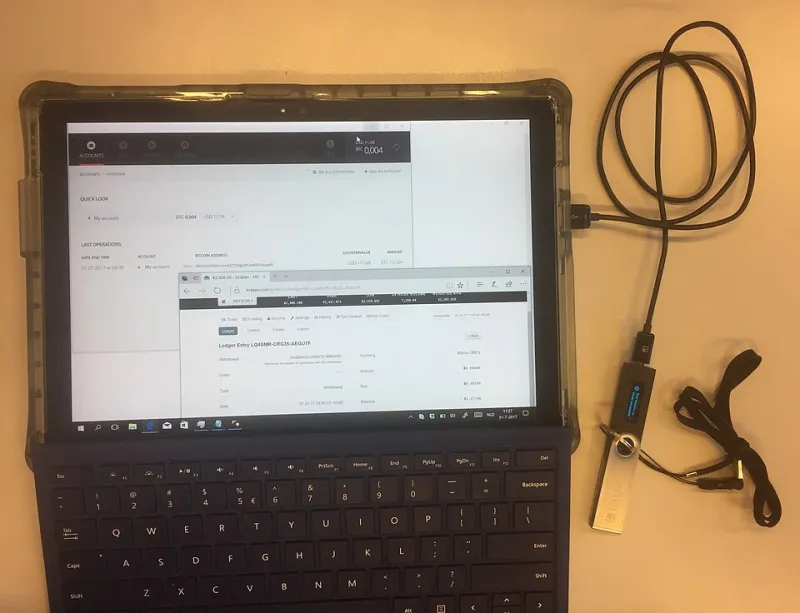
Photo: FlippyFlink, CC BY-SA 4.0, via Wikimedia Commons
Let's be honest: most of us start our Hedera journey with a soft wallet. You download HashPack, jot down a seed phrase on a sticky note (please tell me you've since moved it somewhere better), and off you go. It's fast, it's free, and it works. But at some point — maybe after your HBAR stack grows past the price of a nice dinner, or maybe after reading one too many horror stories on r/CryptoCurrency — the question creeps in: should this be on a hardware wallet?
Short answer: probably yes. And the good news is that pairing a Ledger with HashPack is one of the easier cold storage setups in all of crypto. Here's how to do it right.
Why Bother With a Ledger for Hedera Anyway?
A hardware wallet keeps your private keys offline, physically isolated from the internet. Your computer can be crawling with malware; your Ledger doesn't care, because the keys never leave the device. Every transaction has to be physically approved by you pressing buttons on the Ledger itself.
There's a common misconception that cold storage is only for whales. But think about it this way: if someone gets into your browser extension wallet, they get everything — whether that's $200 of HBAR or $20,000. Hedera transactions are cheap and fast, which is great for usability but also great for a thief. Draining a Hedera account takes seconds, and there's no customer support line to call afterward.
Even if your balance is modest today, the setup cost is a one-time thing (entry-level Ledgers run around $79 in the US, available direct from ledger.com or big-box retailers like Best Buy). Peace of mind per dollar is hard to beat.
What You'll Need Before You Start
Gather your gear first so you're not scrambling mid-setup:
- A Ledger hardware wallet (Nano S Plus or Nano X both work with Hedera)
- The Ledger Live app, updated to the latest version
- The HashPack browser extension or mobile app
- A USB cable to connect the Ledger to your computer
- Your recovery phrase supplies — paper, steel, whatever you're using
One critical note before anything else: only buy a Ledger directly from the manufacturer or an authorized retailer. Never a third-party Amazon listing, never eBay, never a device that arrives with a recovery phrase already written down. Pre-filled seed phrases are a classic scam.
Step-by-Step: Pairing Ledger with HashPack
Step 1: Initialize your Ledger. If it's brand new, set it up through Ledger Live. Choose a PIN, and write your 24-word recovery phrase down carefully. This happens offline, on the device itself. Triple-check your spelling as you write each word.
Step 2: Install the Hedera app on the device. Open Ledger Live, head to the Manager tab, and search for "Hedera." Install the Hedera (HBAR) app onto the device. You may need to enable developer mode in Ledger Live settings if it doesn't show up right away.
Step 3: Open HashPack and choose hardware wallet. In HashPack, instead of creating a new wallet or importing one, select the option to connect a hardware wallet. HashPack supports Ledger natively — no awkward workarounds required.
Step 4: Connect and authorize. Plug in your Ledger, unlock it with your PIN, open the Hedera app on the device, and follow HashPack's prompts. You'll confirm a connection on the Ledger's screen. HashPack will then show you your Hedera account — note that this creates a new account tied to your Ledger's keys, separate from any existing soft wallet.
Step 5: Fund it and test. Send a small amount of HBAR first — say, 5 HBAR. Confirm it arrives, then send a tiny amount back out to make sure you can sign transactions. Only after the round-trip works should you move over your main stack.
Common Pairing Mistakes (Don't Be That Person)
- Skipping the test transaction. People move their whole balance, then discover a browser conflict or a stale cache. Always test with pocket change first.
- Confusing the Ledger's Hedera app with Ethereum or other apps. Hedera is its own app on the device. Having the wrong app open is the number one cause of connection errors.
- Assuming the Ledger holds the HBAR. Technically, the coins stay on the Hedera network; the device holds the keys. Doesn't change your security posture, but it's good to understand what you're actually protecting.
- Storing the recovery phrase digitally. A photo on your phone, a note in Google Docs, a password manager entry — all of it defeats the purpose. Offline only.
- Losing the PIN and the phrase. If both are gone, the funds are gone. Store your phrase somewhere fire- and flood-resistant; a lot of folks in the US use a small fireproof safe or a steel plate.
Everyday Use: What Changes and What Doesn't
Here's the pleasant surprise: using HashPack with a Ledger feels almost identical to a soft wallet. You can still connect to Hedera dApps, view NFTs, and manage tokens. The difference is that every outbound transaction pops up a confirmation on your Ledger that you physically approve. Yes, it's an extra button press. That button press is the whole point.
One habit worth building: get in the practice of reading what's on the Ledger screen before approving. Hardware wallets protect your keys, but they can't stop you from approving a bad transaction. Verify the amount and the destination every time.
The Bottom Line
Cold storage sounds intimidating until you've done it once, and the Ledger-plus-HashPack combo is about as friendly as hardware setups get. Give it an unhurried hour on a Saturday afternoon, test with a small amount, and you'll have a setup that would make even the most paranoid security researcher nod approvingly. Your future self — the one whose HBAR is still there — says thanks.